Why the 10-day forecast matters
A one-day forecast helps with today. The 10-day weather forecast on iPhone gives you the wider plan for travel and outdoor time, while the 3-day view adds time-block detail for the near term.
Read the multi-day outlook quickly
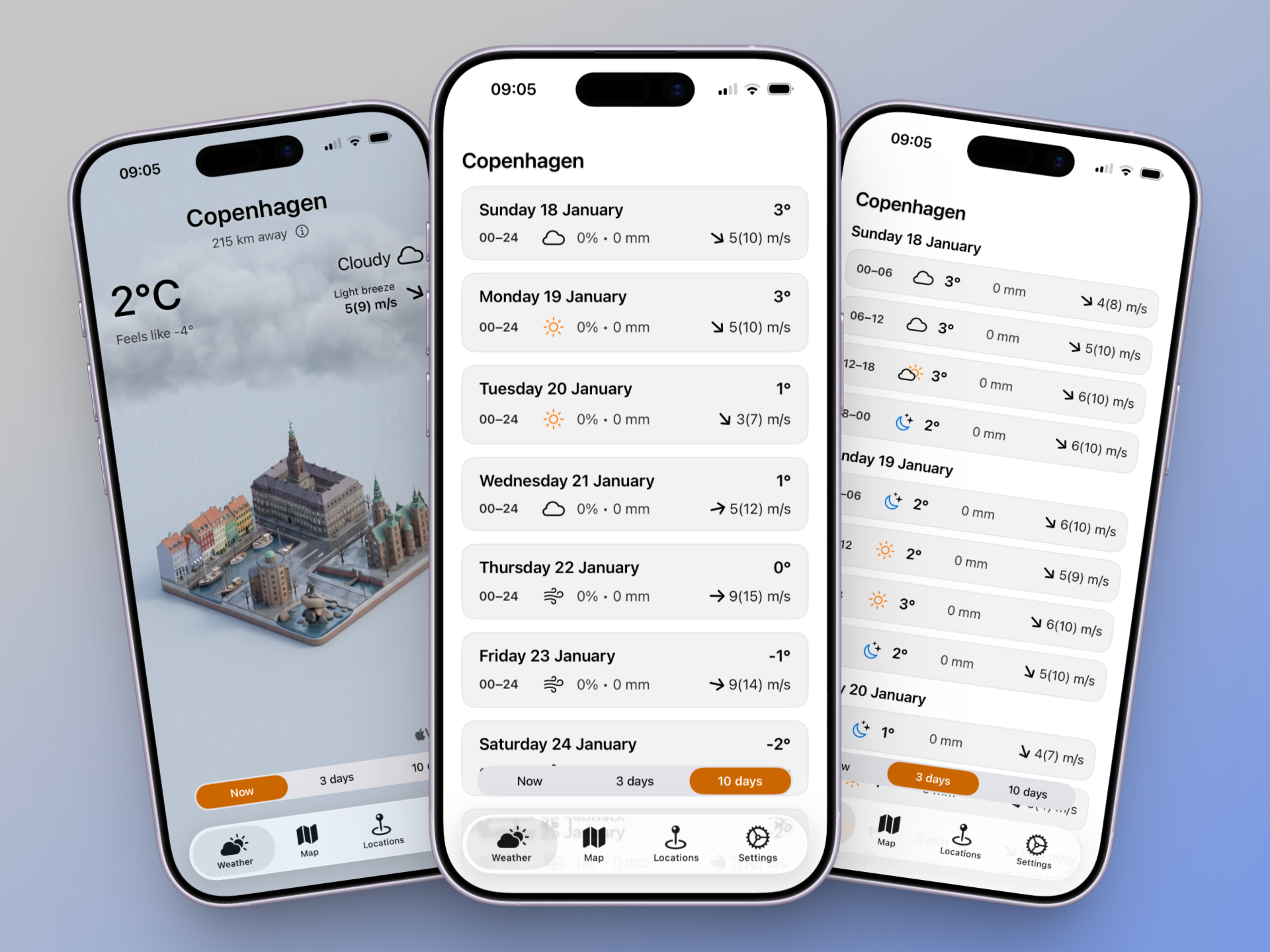
In the 10-day list, each row keeps the essentials aligned:
- Day and date: a clear label with the full-day time span (00-24).
- Daily temperature: the main degree value sits at the right edge for fast comparison.
- Condition icon: sun, cloud, or rain at a glance.
- Precipitation: chance percentages paired with mm totals.
- Wind: direction arrow plus m/s values.
Switch between now, 3-day, and 10-day forecasts
The forecast toggle lets you move between a quick now view, the 3-day weather forecast on iPhone, and a 10-day list without leaving the screen.
- Now: current conditions with the city scene.
- 3 days: each day splits into time blocks (00-06, 06-12, 12-18, 18-00) with icon, temperature, precipitation, and wind.
- 10 days: one compact row per day for a week-ahead scan.
Forecast accuracy by day
Forecasts are most reliable in the first 1 to 3 days. The 4 to 10-day window is still useful for trend planning, but expect more change as you get closer to the date.
Tip
Use the week-ahead view for direction, then confirm details the day before important plans.
Why IsoWeather keeps the week ahead clear
IsoWeather keeps the 10-day weather forecast on iPhone easy to scan by aligning temperature, precipitation, and wind details in consistent columns. The 3-day weather forecast on iPhone breaks each day into smaller time blocks so you can compare early and late hours at a glance.
Planning tips for the week ahead
- Use the 10-day view to spot broader swings before committing to travel.
- Switch to the 3-day view when time-of-day details matter.
- Pick two backup days for outdoor plans if rain shows up late in the week.
- Revisit the forecast the night before travel to confirm shifts.